A message.
One short buzz.
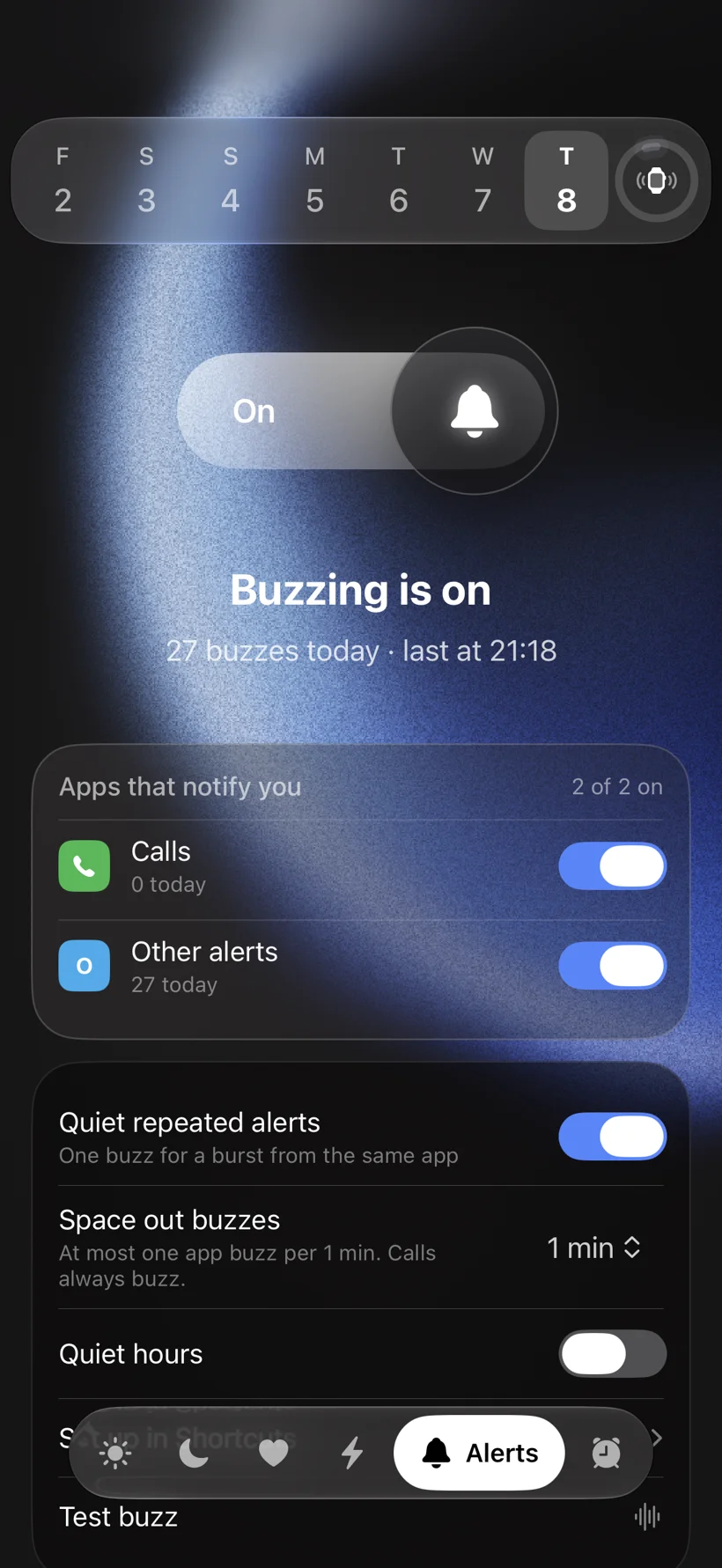
Choose the apps that matter. When one of them pings, your Air buzzes once.
 NotiTrac
Make your Fitbit Air vibrate
for iPhone calls & notifications.
SMALL APP. DIFFERENT FEELING.
SCROLL TO FEEL ITYour wrist is the centre of the line. Keep scrolling and watch each alert reach it.
Choose the apps that matter. When one of them pings, your Air buzzes once.
A burst from the same app is folded into a single buzz, so a busy group chat never rattles your wrist.
Your Air keeps buzzing while the phone rings, for up to 20 seconds, and stops when you pick up. Calls are free.
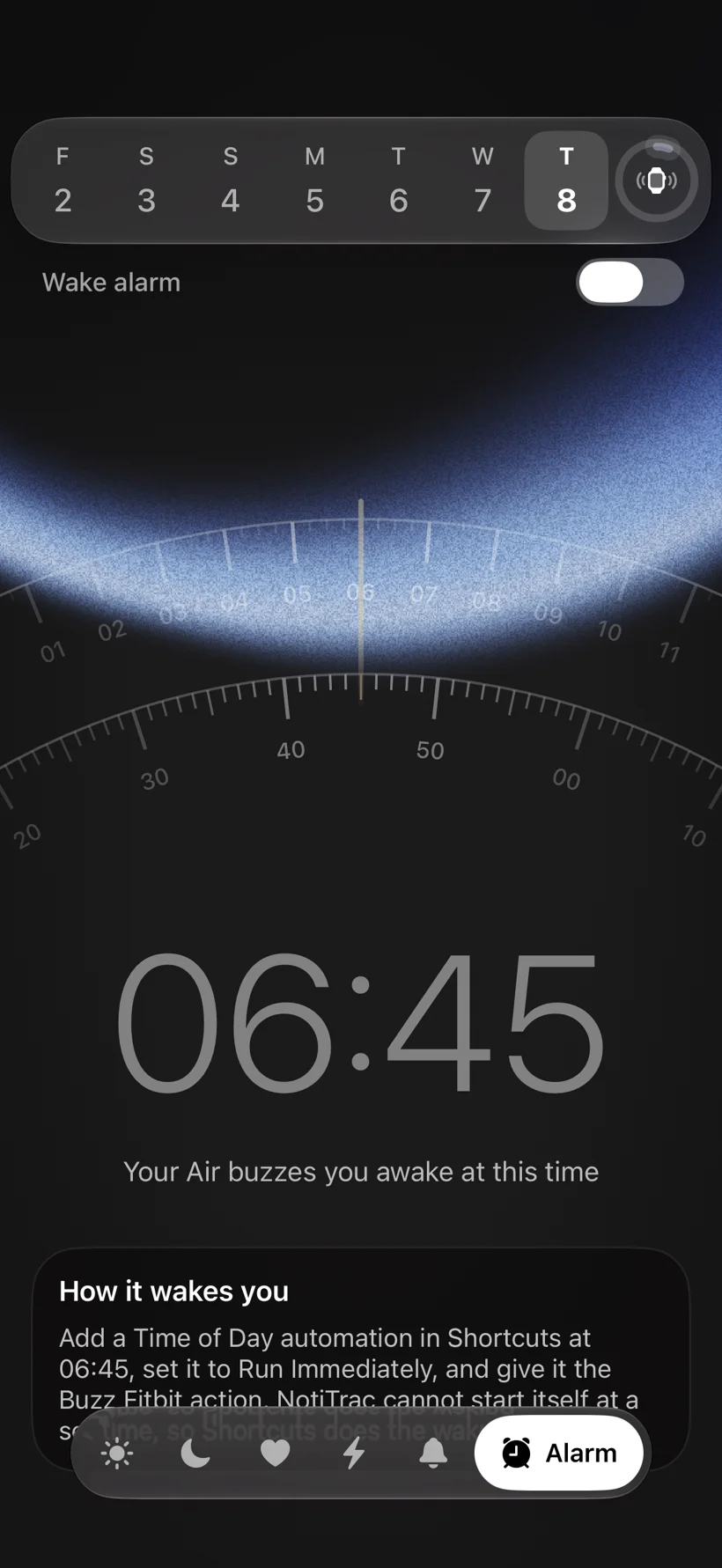
Set a wake time and your Air buzzes three times, a few seconds apart. Nobody else hears a thing.
Keep tracking with your Fitbit Air. NotiTrac shows what Google Health syncs, in a view made for iPhone.
NotiTrac connects your iPhone to the Fitbit Air on your wrist. A call buzzes until you answer. The apps you choose get one short buzz. Your alarm wakes only you. Everything else stays quiet.
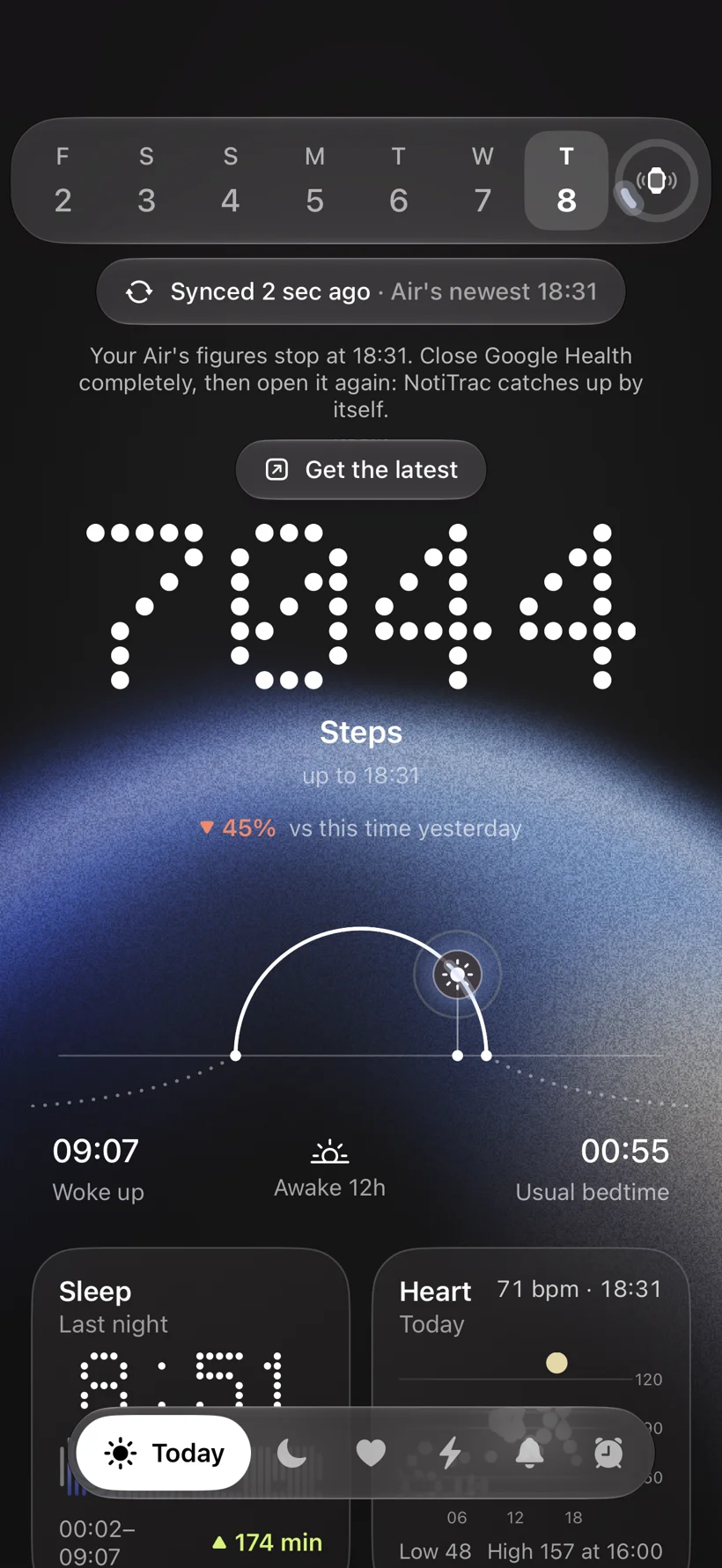
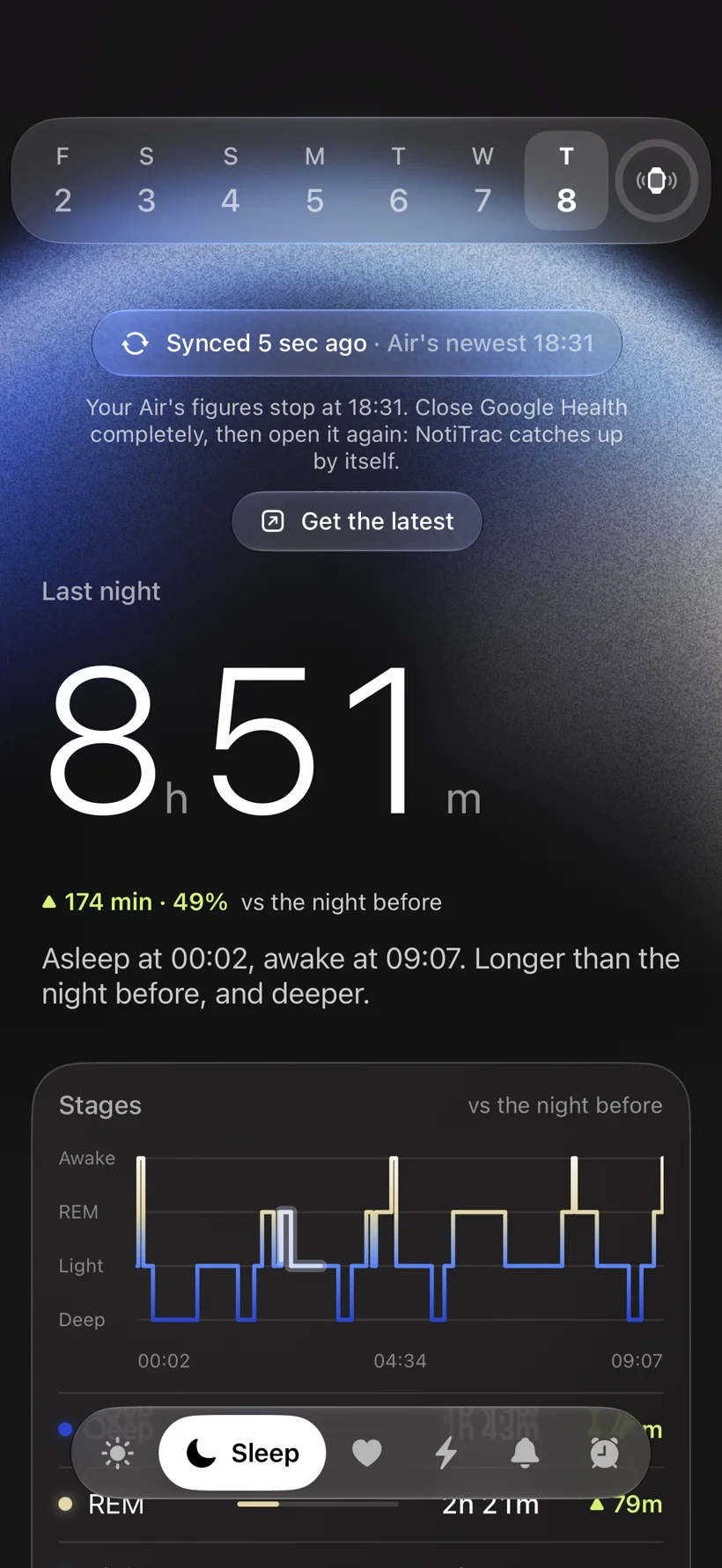
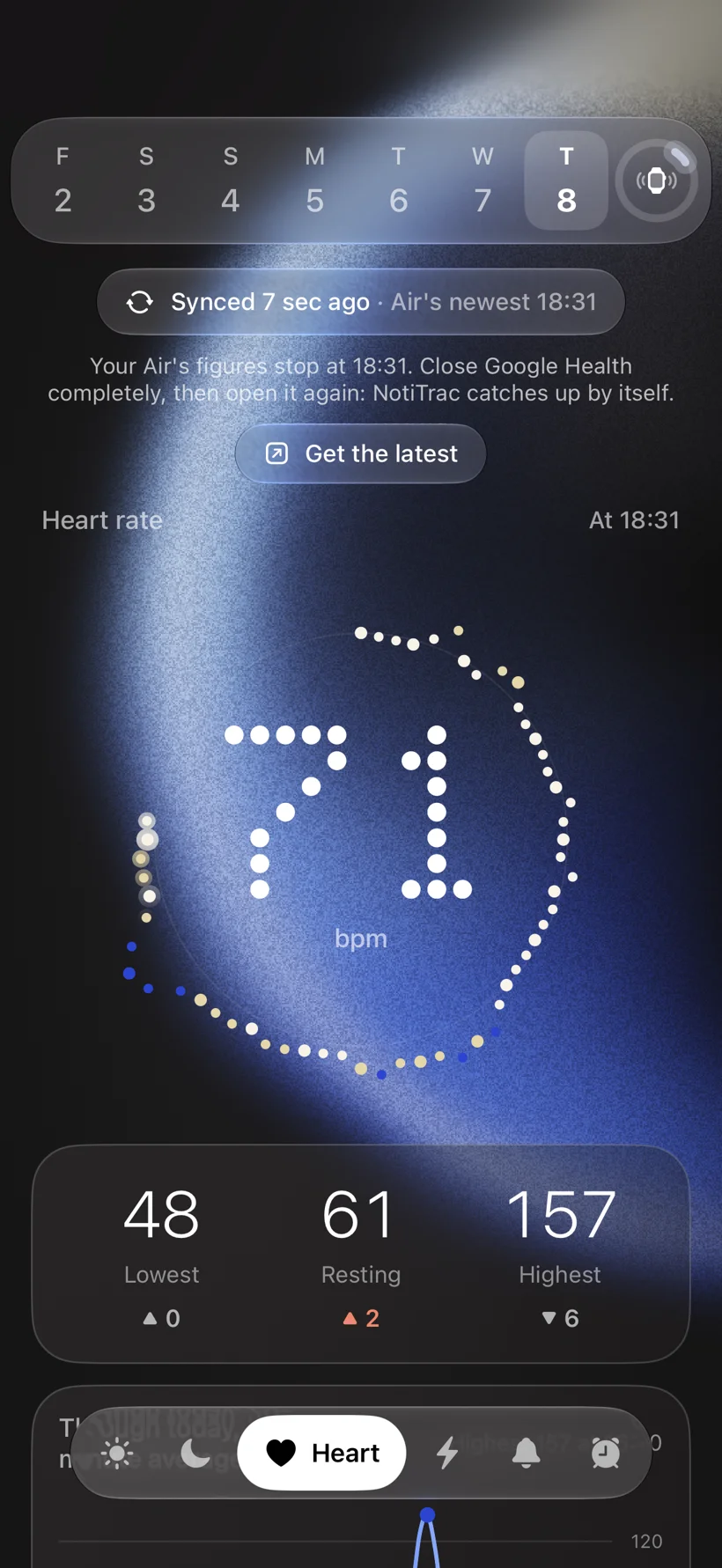
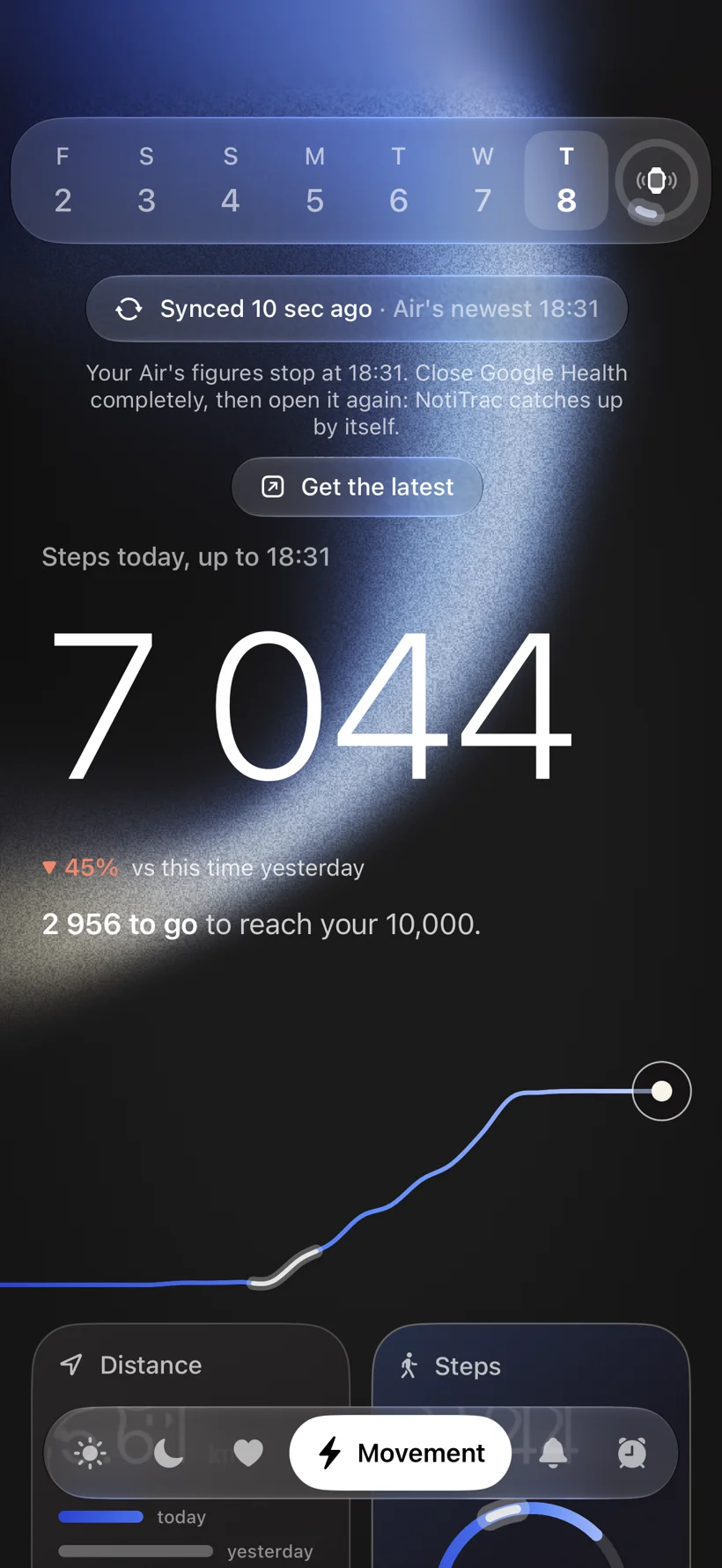
Real screens from NotiTrac on iPhone. Your Fitbit Air's steps, sleep and heart rate, synced through Google Health.
Steps, sleep and heart rate at a glance, and when your Air last synced.
Last night's stages, next to the night before.
Lowest, resting and highest, through the day.
Steps and distance against your daily goal.
Choose which apps reach your wrist, with quiet hours and spacing between buzzes.
A silent wake-up that only your wrist hears.
The whole app, recorded on iPhone.
Keep the Air and the band you love. NotiTrac talks to it over Bluetooth, right alongside Google Health. Three steps and your wrist is in the loop.
Open NotiTrac and choose your Fitbit Air from the list. It connects over Bluetooth, alongside Google Health.
The in-app guide sets up a Shortcuts automation for each app: when it notifies you, run Buzz My Air.
Calls, the apps you picked and your alarm now reach your wrist. Everything else can wait.
Free
Your Air buzzes for incoming calls, including calls that come through messaging apps. Guided setup and your health stats come with it.
One unlock
Messages and every other app, the wake alarm, Find my Air and the Pro colour palette. Pay once, keep it.
Final price at launch. One purchase, no subscription.
Setting up alerts or missing a buzz? Read the Fitbit Air notification setup and troubleshooting guide
Connect your Fitbit Air in NotiTrac, then follow the in-app guide to create an Apple Shortcuts automation that runs Buzz My Air when a selected app sends a notification. NotiTrac sends a vibration to your Air over Bluetooth. Available notification triggers depend on your iOS version.
First try a test buzz in NotiTrac with your Air nearby and Bluetooth enabled. If that works, check that your Shortcuts automation is enabled for the app you want and runs Buzz My Air. If the test buzz fails too, check the connection in NotiTrac. This setup is specifically for Fitbit Air and iPhone; it isn't a general fix for every Fitbit model.
Yes. NotiTrac's call alerts buzz repeatedly while the call rings, for up to 20 seconds, and stop when you answer. Call alerts require the call setup described in the app; supported triggers depend on your iOS version and calling app. Calls are included in the free tier.
A Fitbit Air, a compatible iPhone, and Google Health for syncing your tracker. Alerts use an Apple Shortcuts automation. Available notification triggers depend on your iOS version; the in-app guide walks you through setup.
Yes. NotiTrac releases its Bluetooth connection after an alert so Google Health can reconnect. You may need to open Google Health to resume syncing. NotiTrac is a companion, not a replacement for Google Health.
From supported Fitbit data that Google Health shares with Apple Health, with your permission. Not every Fitbit metric is available.
No. After setup, your Shortcuts automation runs the buzz while your iPhone is locked. Bluetooth must be on, and iOS decides when background work runs. The setup guide explains the details.
No. NotiTrac is an independent app for people who want more from their Fitbit Air. Fitbit and Google Health belong to their respective owners.